My First Windows Game
PRICE COMPARISON
ABOUT THIS GAME
Discovering Colors and Sounds in My First Windows Game
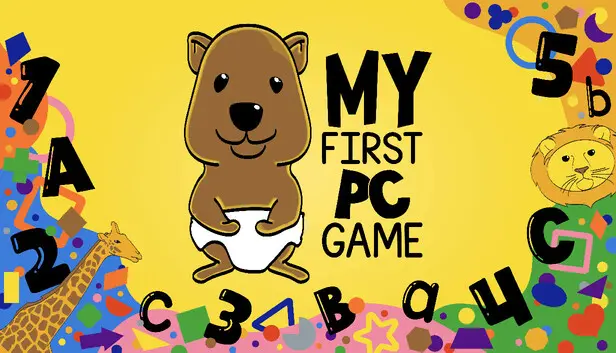
My First Windows Game is an interactive educational tool designed for PC that captivates young minds through vibrant colors and engaging sound. This game serves as an introduction to color recognition, auditory learning, and keyboard familiarity, making it an essential starter in a child’s educational journey. With different modes tailored for exploration, players can learn through play while stimulating various senses.
Four Modes for Engaging Learning
The game features four distinct modes that cater to different learning styles. In Rainbow Mode, players can cycle through the classic ROYGBIV spectrum. Each color corresponds with a unique sound, reinforcing the connection between visual and auditory stimuli. This hands-on approach fosters intuitive color recognition while keeping the gameplay engaging and lively.
Exploring Animal Recognition
Transitioning to Animal Mode, players encounter different animals paired with their corresponding names. As each animal is selected, its name is pronounced, enhancing vocabulary and animal recognition. The interactive visuals and sounds promote engagement, ensuring that learning feels more like play than work. This mode is perfect for young learners eager to expand their language skills while having fun.
Learning Keys with Alphabet Mode
In Alphabet Mode, players interactively explore keyboard keys. Pressing any key displays it onscreen against a contrasting black background, with sounds linked to specific keys. This method not only introduces letters but also familiarizes young users with keyboard layouts. It’s a valuable space for developing typing skills, particularly with quirky, friendly names tagged to punctuation and function keys.
Sing and Dance in Music Mode
The Music Mode invites players to cycle through custom songs, encouraging them to sing and dance along. This blend of auditory and kinesthetic learning enhances the experience, making lessons more memorable. By integrating catchy tunes with vibrant visuals, it helps solidify learning concepts through rhythm and fun, making educational sessions enjoyable.
User-Friendly Design for All Ages
Every feature of My First Windows Game is thoughtfully designed with young learners in mind. Controls are intuitive, whether navigating through modes with mouse clicks or keyboard arrows. Adjusting text size is easily accomplished through a scroll wheel, ensuring accessibility for children of all backgrounds. Responsive design allows it to fit various screen sizes, making it adaptable to any home learning environment.
Multi-Sensory Learning Experience
Overall, My First Windows Game combines critical educational principles with playful mechanics. It provides an environment where color recognition, sound association, and keyboard skills flourish. The multi-sensory approach makes every interaction—be it a click, key press, or color change—a moment of discovery, transforming educational tasks into a delightful adventure.
PRICE FACTS
| Current best price | £0.89 at Steam |
|---|---|
| All-time low | £0.89 at Steam |
| All-time low date | September 2025 |
| Last 30 days | No change |
FREQUENTLY ASKED QUESTIONS
What platforms is My First Windows Game on?
My First Windows Game is available on PC.
When was My First Windows Game released?
My First Windows Game was released on September 19, 2025.
How much does My First Windows Game cost?
The current lowest price for My First Windows Game is £0.89 at Steam.
What is the lowest My First Windows Game has ever been?
The historical low price for My First Windows Game is £0.89.
 SteamOfficial