
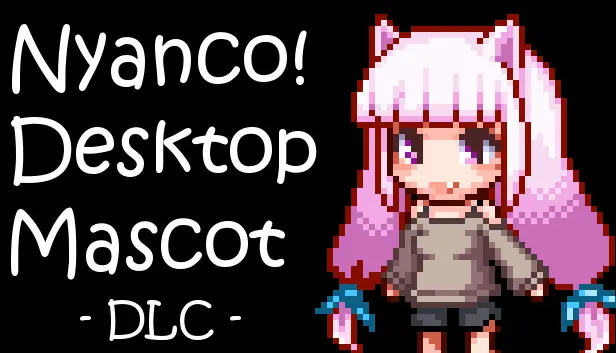
Nyanco Desktop Mascot : Nyanco-chan
PRICE COMPARISON
INCLUDED IN
2
ABOUT THIS GAME
Introducing Nyanco Desktop Mascot: Nyanco-chan
A delightful extension to the lighthearted desktop mascot genre, Nyanco Desktop Mascot: Nyanco-chan adds a charming twist for players on PC. This DLC brings the beloved Nyanco-chan character to your desktop, extending the whimsical presence of the Nyanco Channel into your daily digital experience. With a few simple steps, you can transform your workspace into a playful environment filled with the cute antics of your new feline friend.
How to Install Nyanco-chan Without Hassle
Installing Nyanco-chan is straightforward, ensuring that even those unfamiliar with DLCs can get it up and running with ease. Locate the images within the DLC folder specifically for Nyanco-chan. With just a few clicks, copy and paste those images into the designated images folder of the app. Once you've completed this quick task, simply close the application and restart it. In moments, you’ll be greeted by your new desktop companion.
Navigating the Files for Nyanco-chan
Finding the necessary files for installation may seem daunting, but it’s a simple process. Access the Steam Client, right-click on the Nyanco Desktop Mascot app, and select Properties. From there, navigate to Local Files and click on Browse. You’ll discover the DLC folders and can begin your visual journey. This transparency allows for an easier customization experience, inviting creativity into how you present the character on your desktop.
Customizing Your Nyanco Desktop Experience
Once you have Nyanco-chan installed, you can further tailor your desktop experience. This customization allows players to change mascots effortlessly, adding a layer of personalization that enhances enjoyment. Players can easily switch back to the original Nyanco mascot or other available characters whenever desired. The lightweight interface keeps distractions at bay, letting Nyanco-chan take center stage on your screen.
Quick Tips for Closing the App
Sometimes you need to exit without a fuss. Players can simply click on the Nyanco mascot and press ALT + F4 simultaneously to close the app. Alternatively, the STOP button on the Steam client provides a quick way to exit the program. These options ensure that managing your mascot does not become a chore, fitting seamlessly into your workflow.
Engaging with Nyanco-chan and Beyond
Nyanco Desktop Mascot is more than just a cute addition; it’s an invitation to engage with your digital environment in a fun way. The presence of Nyanco-chan can brighten tedious work hours or provide a cheerful distraction during breaks. This DLC’s charm lies in its simplicity, reminding players of the joy small changes can add to daily computing tasks.
Conclusion on the Nyanco Desktop Charm
In short, Nyanco Desktop Mascot: Nyanco-chan offers a delightful enhancement for PC users looking to add a playful element to their digital lives. Whether you're a fan of cute characters or simply enjoy customizing your desktop, this DLC adds a unique personality to your screen. Downloading and installing Nyanco-chan is both easy and rewarding, making it a delightful extra for fans and newcomers alike.
Historical Low: £0.84 at Steam on 2026-04-05
Average Price: £0.84
Lowest Price Now: £0.84 at Steam
 SteamOfficial